 Vibee
Vibee For renovations, builds and projects
Move one task and see at once what slips.
Tasks, dependencies and the critical path on one timeline. Build it with your AI assistant and start free.
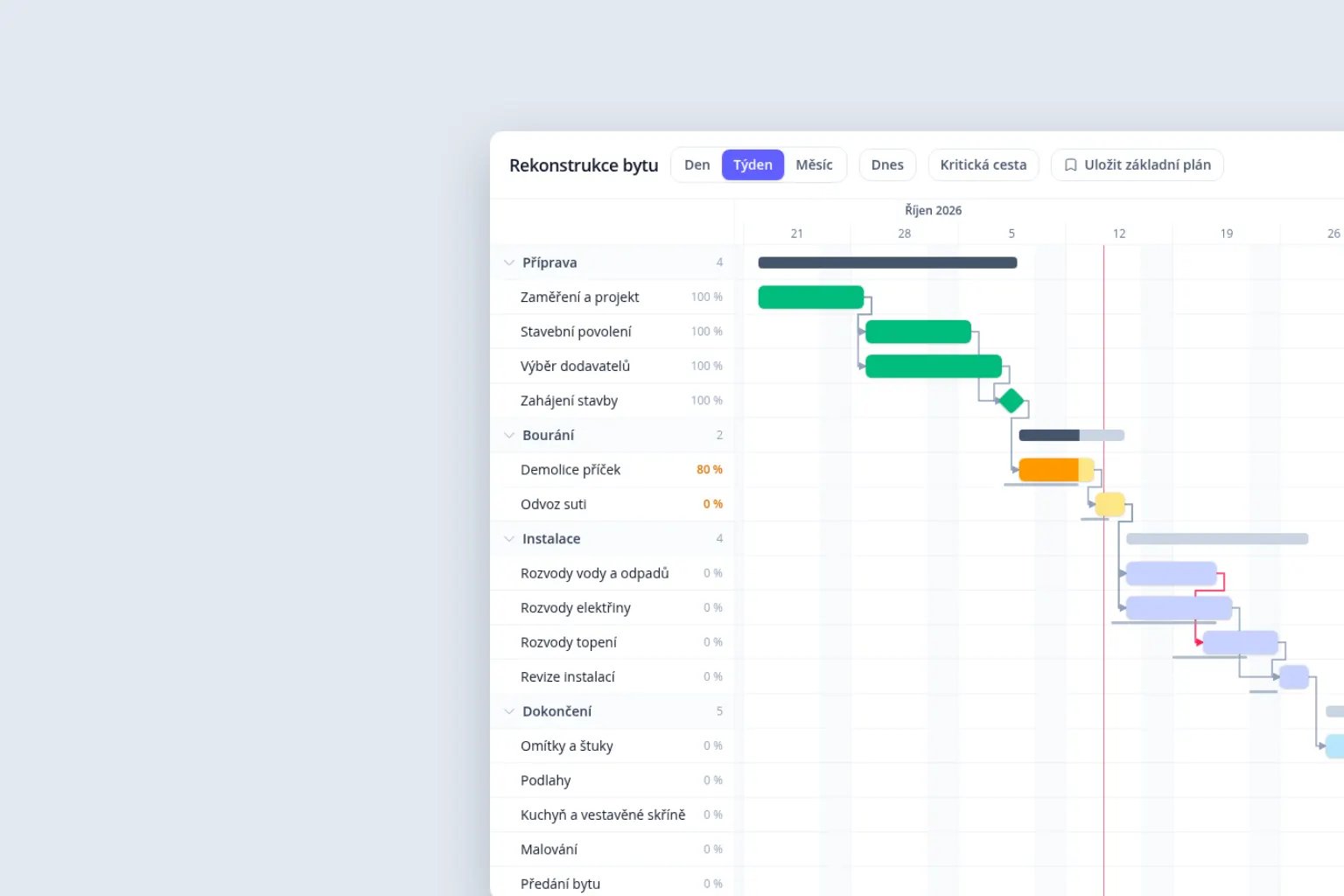
What you can keep track of
- Who, when, how much is done
- Every task has a deadline, a person and a share done. Phases can be folded.
- What waits for what
- A task that is earlier than it may be turns red. When you move one, you are offered to move those waiting for it.
- How far you have slipped
- The critical path shows tasks with no float, the baseline how far dates have moved.
 Flat refurbishment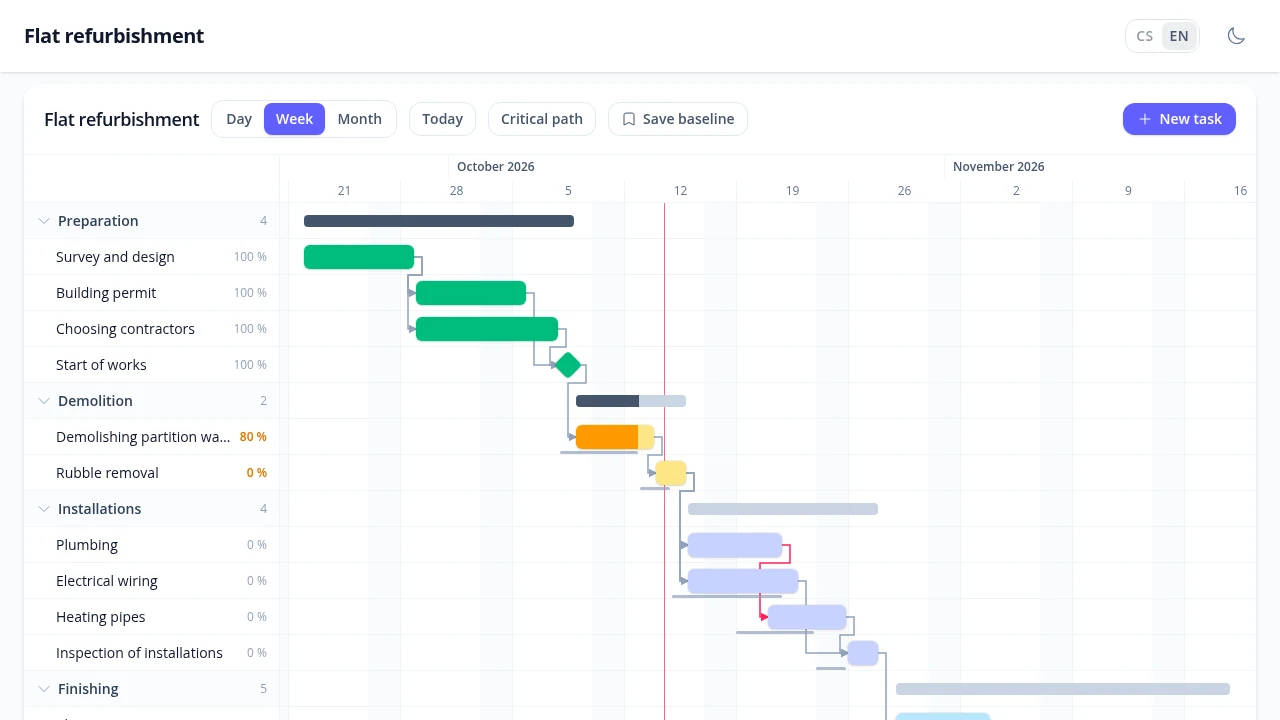
Free essentials. One-time extensions.
No Vibee subscription. No monthly fee per team member.
Included free
€0
no monthly subscription
- 500 records
- 100 MB for files
- Up to 500 accounts
Your first 3 apps are free. Records include tasks, phases and dependencies.
Any AI assistant subscription is paid separately.
Grows with your projects
Add more projects, colleagues or time tracking. Adapt the plan to the way you work.
Unlock features once. Buy capacity and email packs when you need them.
Practical questions
How do you create your own app?
Connect Vibee to your AI assistant. Describe your business, then review and refine the app it prepares.
Prompts for this demo
- Build a plan for a flat refurbishment by phase: tasks with a deadline, a person responsible and the percentage done, shown as a Gantt chart.
- I want to drag tasks on the timeline. Plastering may only start after the inspection of the installations, and when a task is earlier than it may be, turn it red.
- When I move a task, offer to move the tasks waiting for it. Show the critical path and let me save a baseline so I can see how far the dates have slipped.
Does the plan count working days and holidays?
Yes, just set it up: working days, public holidays and your own days off. The demo does not have it on and counts every day. Full resource management with hours is not included, only marking overloaded people and spreading their tasks out.
How do we start with a real project?
Create your own app with the tasks and phases of your project. Protect the plan with sign-in and team permissions. The public demo contains sample data only.
Can we use our own domain?
Yes. Connecting it is a one-time extension. You buy and renew the domain itself with your registrar.
Compare with TeamGantt and Lovable
Other options
TeamGantt is a ready-made online Gantt chart. Lovable is a tool for building your own app.
These are entry offers. The Vibee demo has no full resource management with hours.
TeamGantt checked on 14 October 2026, Lovable on 7 October 2026. Offers may change.